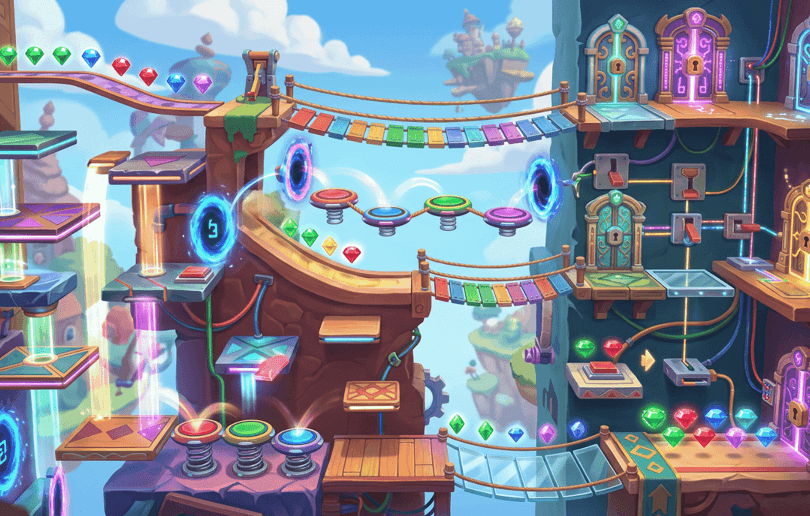
You do not need to become a professional programmer before you start making games. In 2026, AI tools can help beginners turn a simple idea into a playable prototype by handling parts of the code, mechanics, visuals, sound, and game logic.
That does not mean you can type one vague sentence and instantly receive a perfect commercial game. The best results still come from having a clear idea, giving useful instructions, testing the result, and improving the experience step by step.
The good news is that you can learn this process without understanding every programming language. AI can act like a beginner-friendly technical assistant while you focus on the part that matters most: deciding what the player should do and why the game should be fun.
This guide explains how to make a game with AI, how to write better prompts, what beginners should build first, and how to improve an AI-generated game before sharing it with players.
What AI can actually do for new game creators
AI can support many parts of game development, but its usefulness depends on the tool and the way you describe your idea.
An AI game maker may help you create:
- A basic player character
- Movement and jumping
- Collectibles and rewards
- Obstacles and hazards
- Enemy behavior
- Score systems
- Timers and checkpoints
- Menus and buttons
- Simple level layouts
- Background art and sound ideas
- Instructions for the player
- Early prototypes for testing
Some platforms are designed to turn plain-English descriptions into playable projects. Astrocade’s own creator-focused material describes a workflow in which a written game idea can be converted into a playable experience, with the system helping handle areas such as physics, art, controls, and logic.
However, AI should be treated as a creative and technical assistant, not as a replacement for testing. Generated games can contain confusing controls, repetitive levels, weak balance, missing instructions, or mechanics that do not work as expected.
Your job is to guide the process and judge whether the game is genuinely enjoyable.
Start with one simple game idea
The biggest beginner mistake is trying to create an enormous game immediately.
A first project should not include an open world, ten playable characters, multiplayer, hundreds of levels, a complex inventory, and a long story. That scope creates too many opportunities for problems.
Instead, begin with one clear action.
Examples include:
- Jump across platforms without falling
- Drive through obstacles and collect coins
- Defend a base against approaching enemies
- Build a small structure with different blocks
- Survive for as long as possible
- Match objects before the timer ends
- Reach the finish line while avoiding traps
A useful game idea can usually be explained in one sentence:
Create a browser platformer where the player jumps across moving platforms, collects stars, and reaches the finish before time runs out.
This description is much more useful than:
Make a fun adventure game.
The second prompt sounds creative, but it does not tell the AI what the player does. Strong game creation begins with a clear player action.
Define the player experience before writing the prompt
Before asking AI to build anything, answer five basic questions:
What does the player control?
This could be a character, vehicle, spaceship, block, animal, or cursor.
What is the main goal?
The player might need to reach a destination, survive, collect items, defeat enemies, solve puzzles, or achieve a high score.
What creates difficulty?
Difficulty may come from time limits, moving hazards, enemy attacks, limited resources, tricky controls, or increasingly complex levels.
What happens when the player succeeds?
The player could unlock a new stage, earn coins, improve a score, receive an upgrade, or reach a new area.
What makes the game worth replaying?
Replay value might come from random layouts, better scores, new challenges, cosmetic rewards, creative building, or the desire to improve personal skill.
You do not need detailed answers for your first prototype. Even short answers will make your prompt much more precise.
Use a structured prompt instead of one vague sentence
When you make a game with AI, your prompt works like a design brief. The more clearly you explain the experience, the more likely the first version will match your idea.
A useful prompt can include:
- Game genre
- Player role
- Main mechanic
- Goal
- Obstacles
- Progression
- Visual style
- Target session length
- Controls
- Important limitations
Here is a beginner-friendly example:
Create a simple 3D browser obstacle game. The player controls a small robot that runs automatically across floating platforms. The player can move left and right and jump over gaps. Collecting five energy cells unlocks a temporary speed boost. The course should gradually become more difficult, with moving platforms and falling obstacles. Use bright colors, clear lighting, simple controls, and short levels that take one to three minutes to complete. Add a restart button and a visible progress indicator.
This prompt gives the AI enough direction without becoming unnecessarily complicated.
Build the smallest playable version first
Your first goal is not to create a finished game. Your first goal is to create a playable loop.
A basic gameplay loop looks like this:
- The player starts the game.
- The player performs the main action.
- The player faces a challenge.
- The player either succeeds or fails.
- The game provides feedback.
- The player tries again or moves forward.
For a platformer, that could mean:
- Start on a platform
- Jump across a gap
- Collect an item
- Avoid a trap
- Reach the finish
- See a score or completion message
- Start the next challenge
If this short loop is not enjoyable, adding more levels will not solve the problem. Test the basic action first. Does movement feel responsive? Is the goal obvious? Does failure feel fair? Does success feel rewarding?
These questions matter more than the number of features in the first version.
Ask AI to improve one feature at a time
After the first prototype works, avoid asking for ten major changes in one message. Large requests can cause the AI to alter systems that were already working.
Use focused instructions such as:
- Make the jump slightly higher but keep the current movement speed.
- Add three moving platforms to the second level.
- Show a message when the player collects all items.
- Make the first level easier for new players.
- Add a restart button after the player loses.
- Change the background to a sunset theme without changing the obstacles.
- Add two enemy types, but keep the existing player controls.
- Increase the challenge gradually instead of making every level difficult.
This approach makes it easier to understand what changed. It also helps you identify which instruction caused a new problem.
If something breaks, ask AI to restore the last working version or explain what changed. Save working versions regularly so you can return to them.
Create better AI game prompts with constraints
Beginners often describe what they want but forget to explain what they do not want.
Constraints can improve the result by reducing unnecessary complexity.
You might tell the AI:
- Keep the controls limited to four buttons.
- Use only one playable character.
- Create three short levels first.
- Avoid complex inventory systems.
- Do not add online multiplayer yet.
- Keep the interface readable on mobile screens.
- Use simple geometric art.
- Make every level possible without perfect timing.
- Do not introduce new mechanics before the second level.
- Keep the game suitable for short play sessions.
Constraints are especially useful when an AI tool tries to add too much. A smaller, clearer project is easier to test and more likely to feel complete.
Use AI for learning, not only for generating
You do not need to understand every line of code on your first day. Still, you should use AI to explain important parts of the project.
Ask questions such as:
- What controls the player’s movement?
- Which part of the project detects a collision?
- How is the score calculated?
- Where can I change the jump height?
- How does the enemy decide where to move?
- What caused this error?
- Can you explain this feature in simple language?
- What should I test before publishing?
Over time, you will begin to recognize common ideas such as variables, conditions, events, triggers, scenes, and game states.
This is a much better long-term approach than copying generated code without understanding anything. AI can help you create a game without coding experience, but learning the basics will give you more control as your projects become more ambitious.
A sandbox example for beginner creators
Ultra Realistic Minecraft is described as a 3D open-world voxel sandbox game with survival and creative modes. Players can gather resources, craft items, defend themselves against enemies, or freely build with different blocks. Its browser-based sandbox structure shows how a game can combine a clear core system, resource gathering, building, progression, and player freedom in one experience.
For a beginner creator, the important lesson is not to copy the entire concept. A project of that scale is too broad for a first attempt. Instead, break the idea into one small experiment, such as placing blocks in a limited area, collecting three resources, or building a simple shelter before nightfall.
The supplied summary does not confirm how the game was created, so it should not be presented as proof that a particular AI workflow produced it.
Test your game like a real player
Creators often become too familiar with their own projects. You may know where every button is and understand what a level is supposed to do, but new players do not have that knowledge.
Test your game by asking:
- Can a new player understand the goal without help?
- Are the controls explained clearly?
- Does the first challenge begin quickly?
- Is the first level too easy or too difficult?
- Does the camera make movement confusing?
- Are important objects visible?
- Does the game give feedback after an action?
- Can the player recover after making a mistake?
- Is there a clear way to restart?
- Does the game work on the intended device?
If possible, let another person play without explaining anything. Watch where they hesitate. Confusion is valuable feedback because it shows you what the game fails to communicate.
Do not immediately defend your design. First observe the problem, then decide how to fix it.
See also: Do You Need Excellent Credit to Qualify Business Funding?
Avoid common beginner mistakes
Trying to build too much
A large idea can be divided into smaller milestones. Finish one mechanic before adding another.
Giving unclear instructions
Replace “make it exciting” with specific details about speed, difficulty, rewards, hazards, or player decisions.
Ignoring the first five minutes
The opening experience should teach the main mechanic without overwhelming the player.
Adding rewards without meaning
Coins, pets, upgrades, and badges should support the gameplay. They should not exist only to make the interface look busy.
Publishing without testing
An AI-generated project can appear finished while still containing broken buttons, impossible levels, or confusing instructions.
Copying another game too closely
Use familiar genres as inspiration, but create your own mechanics, names, art direction, and level ideas. Originality helps your project stand apart and avoids unnecessary copyright concerns.
How to make your AI-created game more enjoyable
Once the core version works, improve it in this order:
First, improve controls
The game should respond quickly and consistently. Poor controls can ruin an otherwise interesting idea.
Second, improve clarity
Make the objective, controls, score, and progress easy to understand.
Third, improve challenge
Introduce difficulty gradually. Give players time to learn before expecting mastery.
Fourth, improve feedback
Use sound, animation, color, movement, or text to show when the player succeeds or fails.
Fifth, improve presentation
Add a consistent visual style, readable menus, and a clean start screen.
Sixth, add replay value
Consider higher scores, additional levels, alternate routes, creative options, or new challenges.
This order keeps you focused on the player experience. A beautiful menu cannot fix frustrating movement, and extra rewards cannot fix a confusing objective.
Where Astrocade fits into the creator journey
A platform designed around AI-assisted game creation can reduce the distance between having an idea and testing it. Astrocade presents creation as part of the same environment where people can play online games, giving beginners a place to experiment with concepts and see how players respond.
That does not remove the need for creativity or iteration. It simply lowers the starting barrier. A person who has never opened a traditional game engine can begin with a description, test a concept, and learn through repeated changes.
The most useful mindset is to treat every first version as a prototype. Do not expect perfection immediately. Ask whether the idea is understandable, whether the central action feels good, and whether players have a reason to continue.
Making your first game is no longer limited to people who already know how to code. AI can help you turn an idea into a working prototype, but the quality of the final experience depends on your decisions.
Start small, test often, and keep improving the part that players actually enjoy. That is how a simple prompt can become a game people want to play.