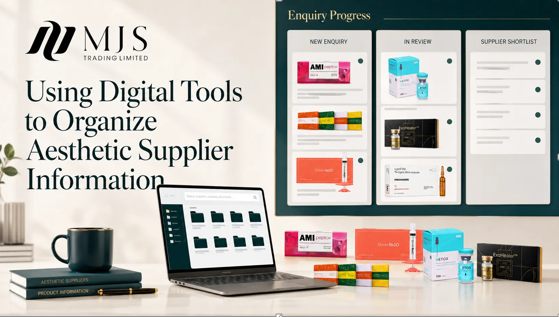
Digital tools do not automatically create an organized supplier system. A bookmark folder can save pages, a spreadsheet can hold contacts and a task board can show follow-up, but the records only become useful when they share consistent identifiers and ownership.
For aesthetic purchasing, the goal is to connect catalogue research, supplier enquiries, quotation status and review dates without turning one large spreadsheet into an unmanageable archive.
A lightweight system can work well if every tool has a defined job and staff know where the approved record lives.
Give Each Tool One Clear Role
Use bookmarks or a read-later tool for early catalogue discovery, a supplier register for approved profile data, a task board for current actions and an order folder for transaction evidence.
Avoid copying the same changing information into every system. Store the authoritative field once and link to it from related tasks.
Use Stable Identifiers
Assign a supplier code and internal product code so records remain connected if a display name changes. Include those identifiers in filenames, enquiry notes and task cards.
Controlled status values such as new, under review, shortlisted, active and inactive make filters more reliable than free-text comments.
See also: Top Institutes for Data Science Course in Hyderabad with Placement Assistance in 2026
Schedule Updates
Catalogue links, contacts, quotations and availability can change. Add a review date and trigger an update when an enquiry reveals a mismatch.
Archive prior versions instead of silently replacing them. The history explains why an earlier order was approved under different information.
A Practical Record Structure
The following fields create a concise shared record. Each entry should identify its source, review date and owner when the information may change.
| Record field | What to capture | |
| Supplier register | Identity, contacts, scope, status and owner | |
| Catalogue library | URL, category, product links and review date | |
| Enquiry tracker | Request, date, owner, response and next action | |
| Quotation log | Version, currency, validity and decision | |
| Order archive | Purchase order, correspondence and receipt | |
| Update control | Trigger, reviewer and revision note |
A Buyer’s Review Checklist
- Define the authoritative location for each field.
- Use stable supplier and product codes.
- Limit status choices to a controlled list.
- Assign owners and review dates.
- Test whether another employee can retrieve the record.
Using Online Catalogue Information
During commercial research, buyers may review mjsbeautys as a catalogue or product reference. Website information should be dated, attributed and followed by the organization’s own verification and approval process.
Because the brand reference already points to the homepage, repeating the same destination would add no value. The article therefore uses one natural hyperlink.
Online availability does not by itself establish current stock, authorization, import status, suitability or professional use in a particular jurisdiction. Those questions should be handled through the official sources and qualified review appropriate to the destination market.
Questions Buyers Commonly Ask
Is a spreadsheet enough for supplier management?
It can be, provided naming, permissions, backups, links and revision rules are controlled.
Should website pages be saved as screenshots?
Save dated references when they support a decision, but also keep the source URL and do not treat the screenshot as permanent current information.
How can duplicate records be reduced?
Search by the stable supplier or product identifier before creating a new entry.
A Practical Next Step
Map the current tools on one page and label which system owns each type of information. Remove duplicate entry points before adding more software.
A dependable purchasing record does not need to be complicated. It needs to show what was reviewed, which source supported the entry, what remains uncertain and who is responsible for the next action.